 Hushtype
Talk. Your Mac types. Nothing leaves it.
Hold a shortcut, speak, let go. Hushtype writes your words into Mail, Notes, Slack or your editor. No cloud, no account, no subscription.
Get Hushtype on the Mac App Store Free to start. Works without an internet connection once a model is installed.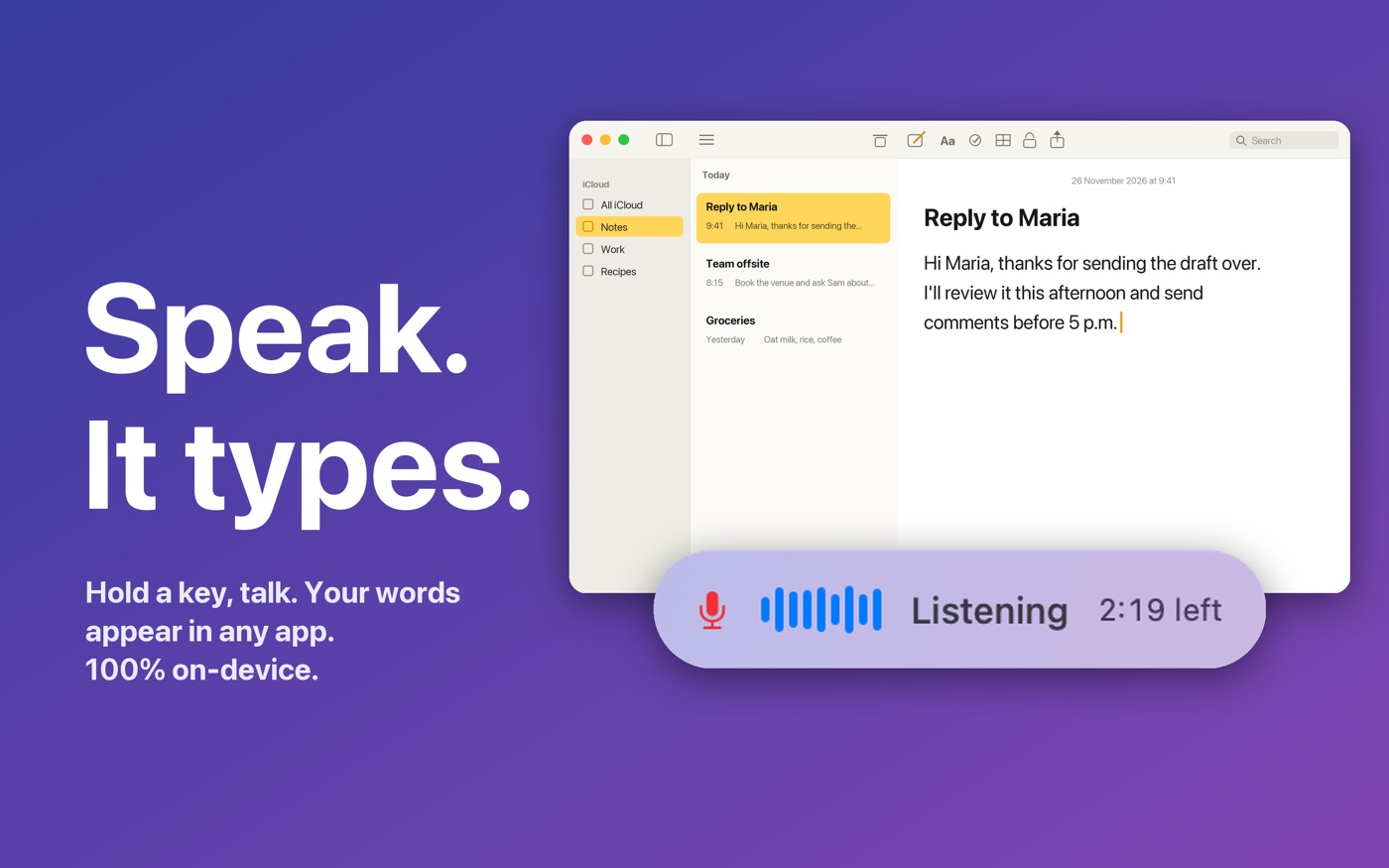
Three seconds from thought to text
No window to open, no button to click. Hushtype sits in your menu bar and waits for your shortcut.
Hold ⌃⌥D
Or switch to press once to start, press again to stop.
Speak naturally
Say "new paragraph" or "question mark" to format as you go.
Let go
Clean text lands at your cursor in whatever app is in front.
Made for people who write all day
Replies, notes, tickets, drafts: say it three times faster than you can type it.
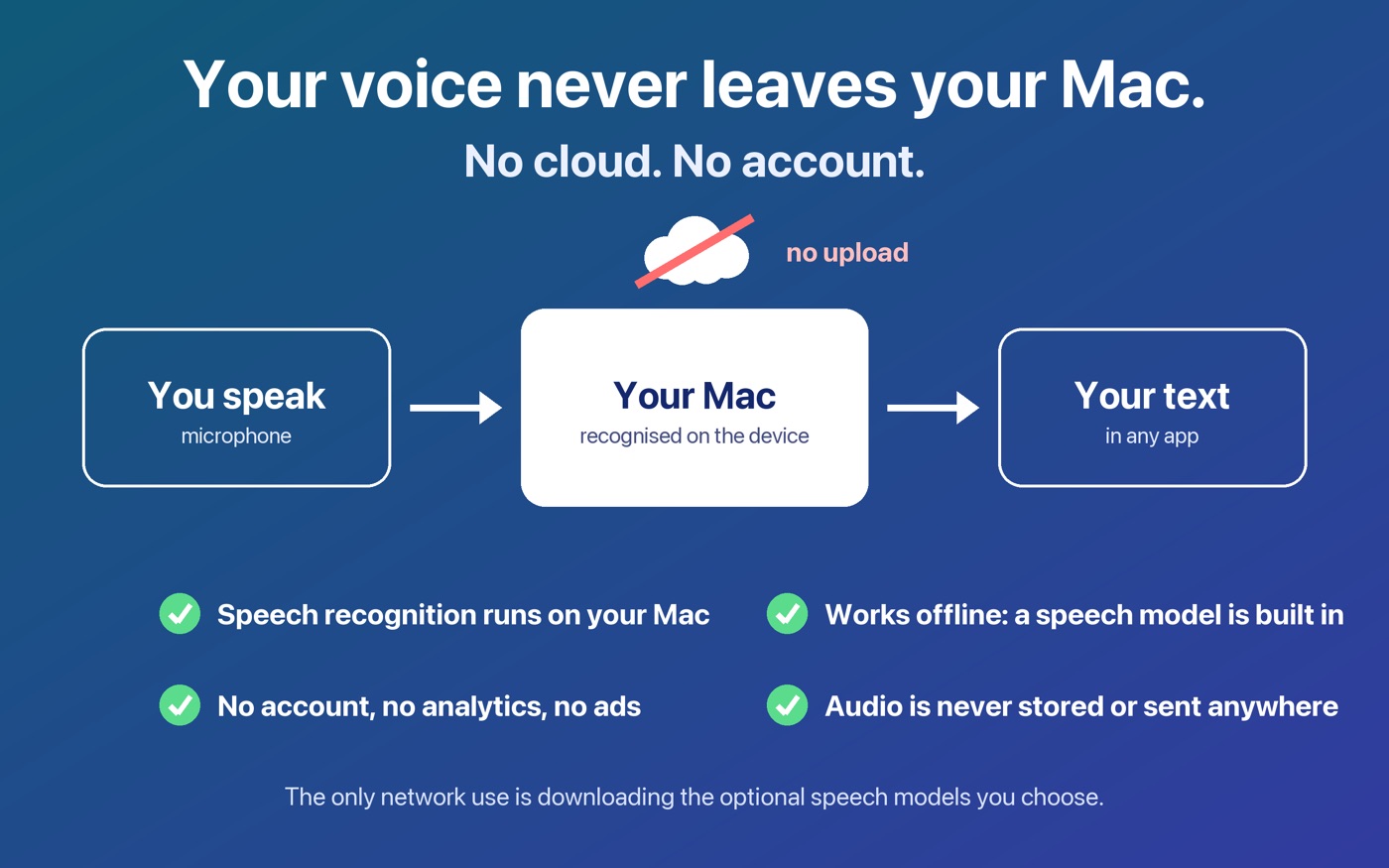
Your voice stays on your Mac
Recognition is done by an on-device model. Your audio is not uploaded, stored or used for training, because it never leaves the computer. Turn off Wi-Fi and it still works.
Spell it your way
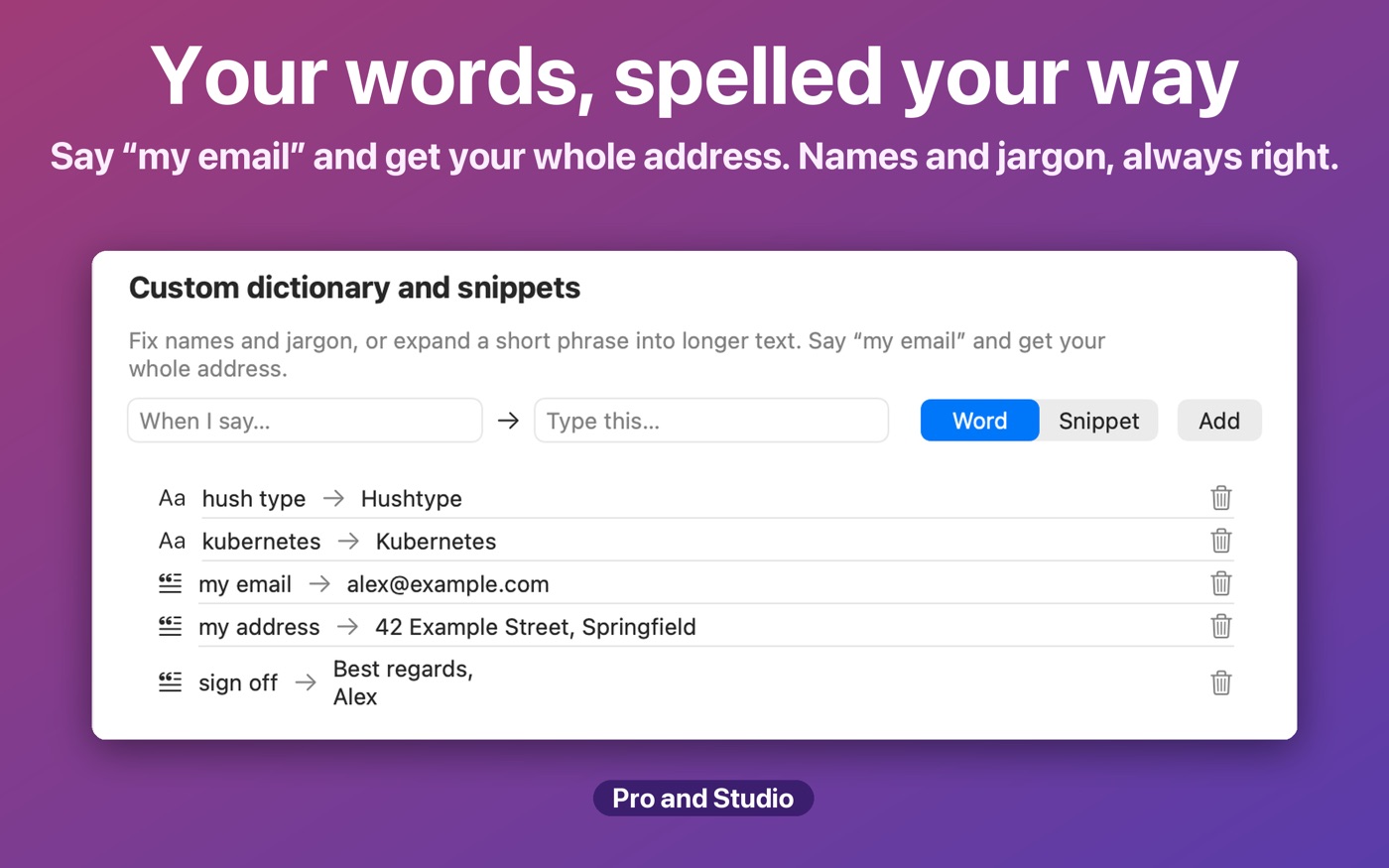
Teach Hushtype names, product terms and jargon with a custom dictionary, and expand short phrases into your email address, a signature or a whole paragraph with snippets.
Meetings and recordings to subtitles
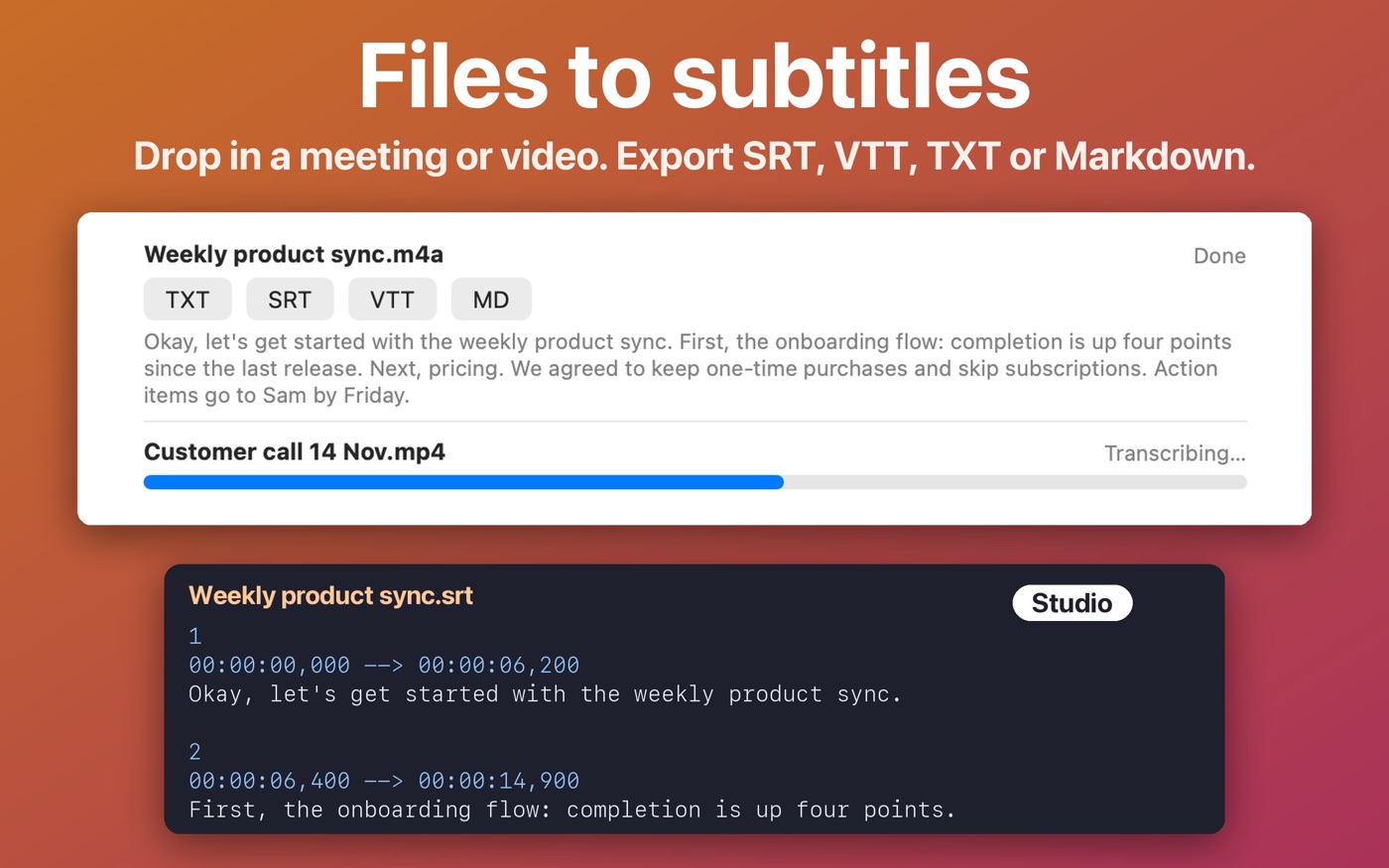
Drop in an audio or video file and get a timestamped transcript. Export TXT, SRT, VTT or Markdown, or translate speech to English.
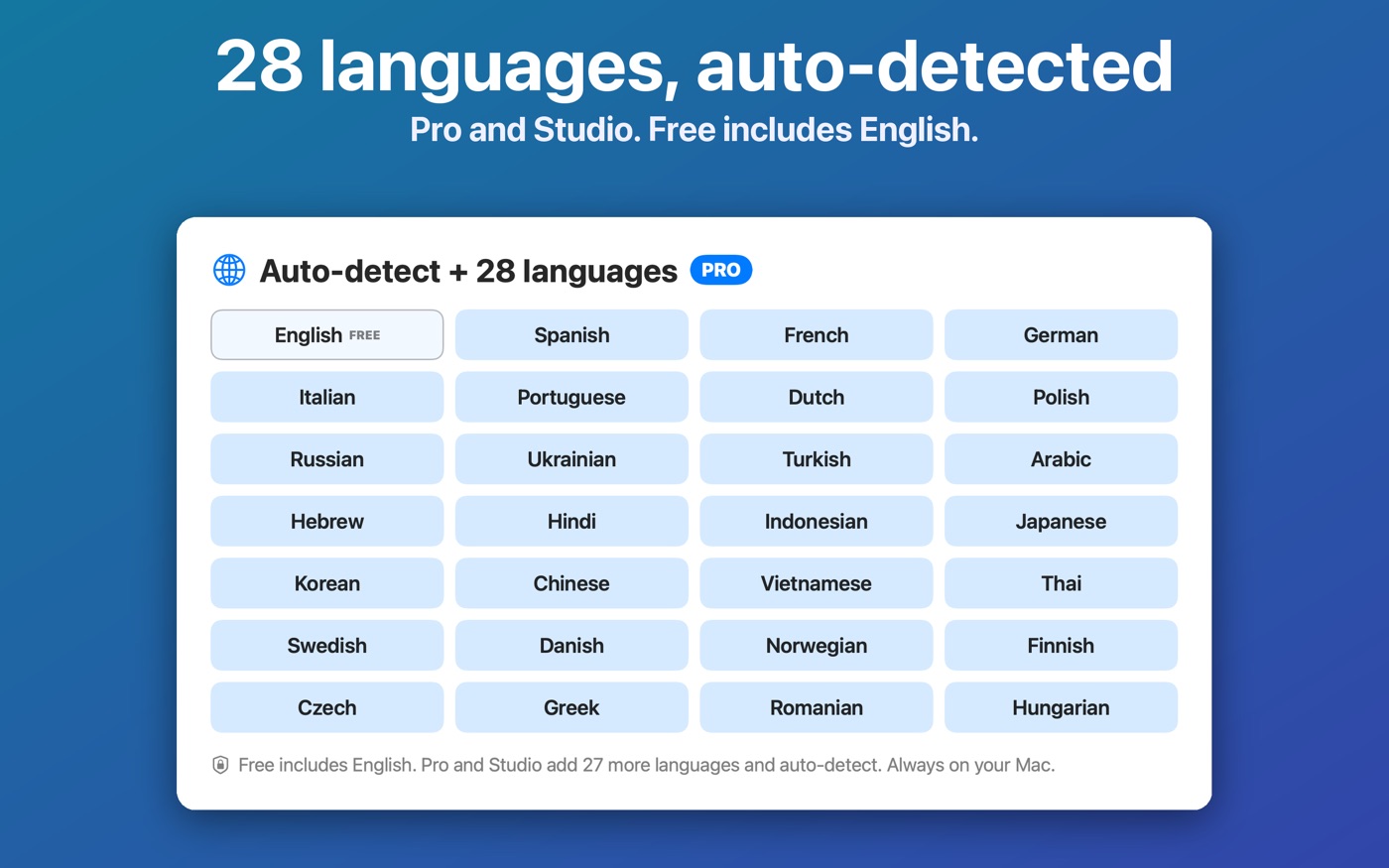
28 languages
Dictate in English for free, or add 27 more languages with automatic detection and switch between them without touching a setting.
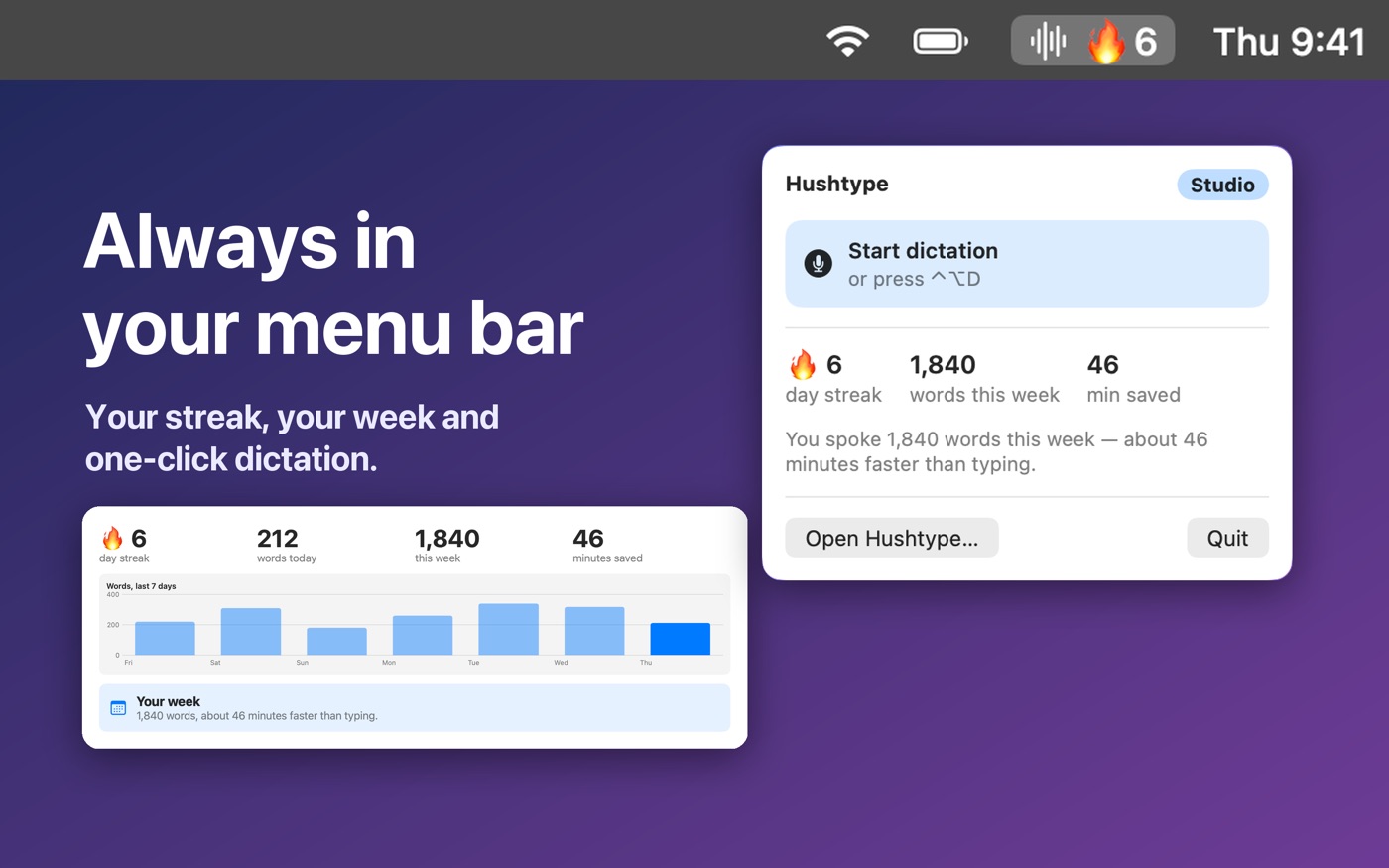
Quietly motivating
See your streak, words spoken and minutes saved right in the menu bar, plus a short summary of your week on Sundays. Reminders are optional and stay on your Mac.
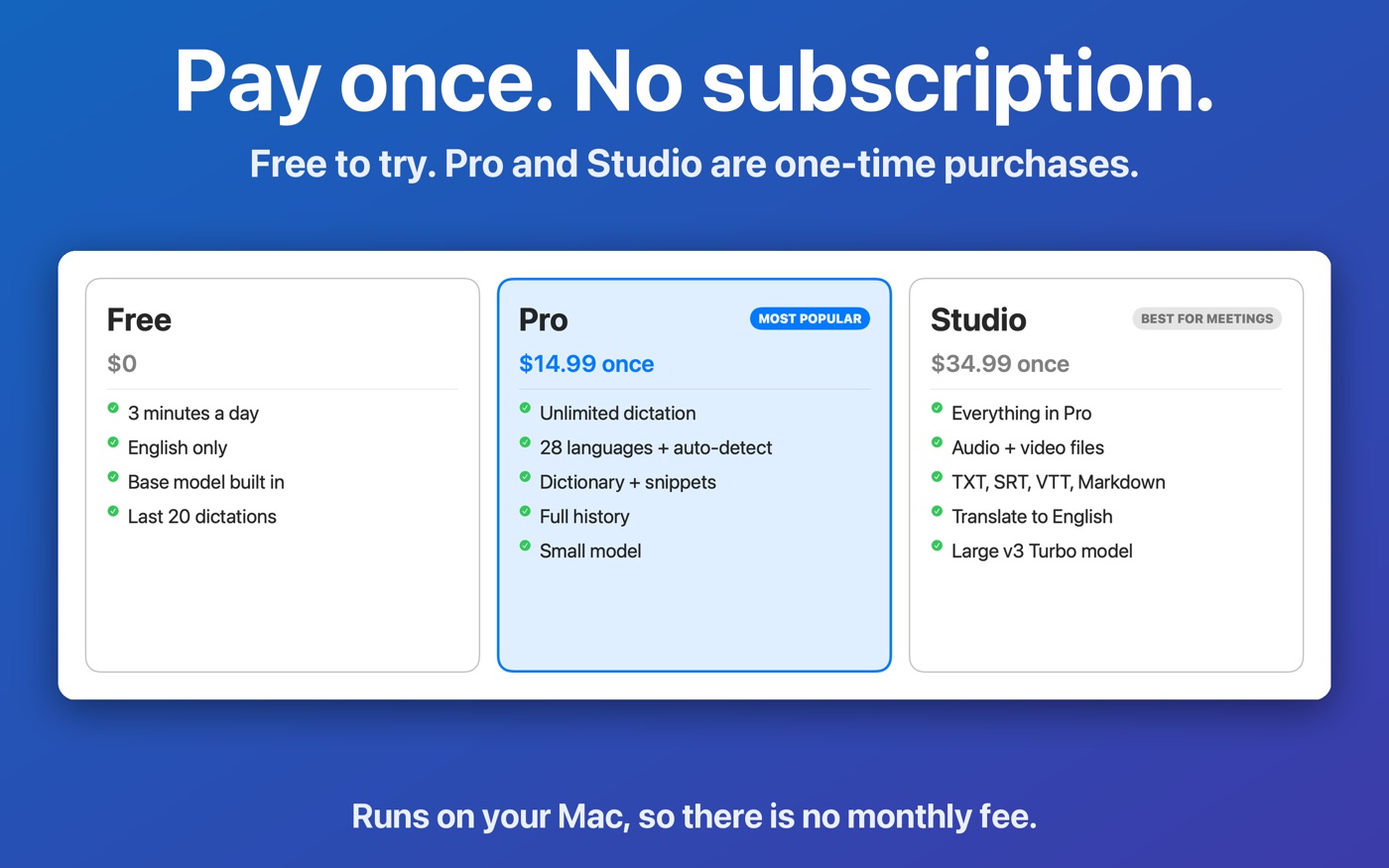
Buy it once, keep it
No monthly fee. Start free, and if Hushtype becomes part of your day, unlock more with a one-time purchase on the Mac App Store.
Everything in the box
Smart cleanup
Drops "um" and "uh", capitalises sentences, adds punctuation.
Works in any app
Types into Mail, Notes, Slack, browsers, editors. Falls back to the clipboard where typing is blocked.
Choose your model
A fast model is built in. Download Small or Turbo for higher accuracy.
Menu bar app
Starts at login if you want it, stays out of your Dock.
No account
No sign-up, no analytics, no ads.
History
Look back at recent dictations and copy them again.
Questions
More answers on the support page.
Is my audio sent anywhere?
No. Speech is recognised on your Mac. Details in the privacy policy.
Does it need internet?
Not for dictation. Internet is only used if you choose to download an optional larger speech model.
Is there a subscription?
No. Paid features are one-time purchases handled by the Mac App Store.
Which Macs does it run on?
Apple silicon and Intel Macs running a recent macOS; see the App Store page for the exact requirement.
Rate Hushtype on the Mac App Store
If Hushtype is useful to you, an honest review helps other people find it. Whatever you think, we want to hear it.
Write a review